My Endpoint Protector3.0.8.9
Publisher Description
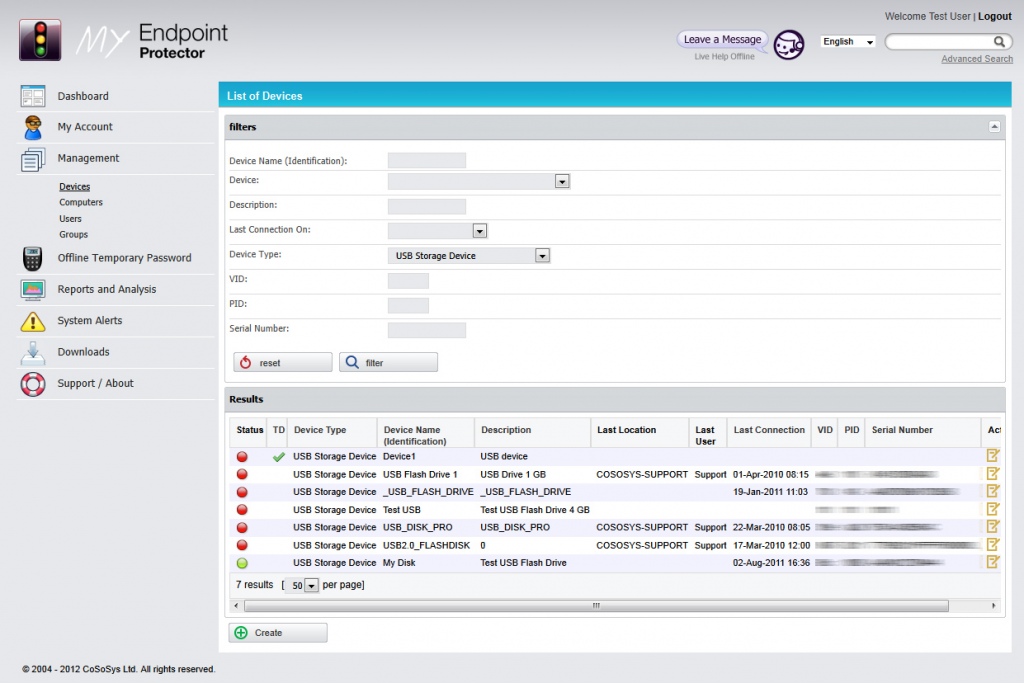
My Endpoint Protector provides device control and data loss prevention to everyone who want to centrally manage and control the use of USB, FireWire and other ports and portable storage device use. It works for PC and Mac OS X. Free for personal use.
It is a SaaS Solution, meaning the management is happening in the cloud over an internet browser.
My Endpoint Protector Key Benefits:
1. Centrally manage your endpoint / device use from anywhere
2. No server setup (hardware, licenses or maintenance)
3. Enterprise class endpoint security for every size company
4. Manage one or hundreds of PC endpoints from one online place
5. Every PC user can set it up. No experienced Admin needed
6. Setup in minutes
7. Works with any PC that has an internet connection
8. Works for PC and Mac
9. Free for personal use
Manage proactively all these ports and devices online from one place.
Controlled Device Types:
-USB Flash Drives (Normal USB Drives, U3, etc.)
-Wireless USB
-Memory Cards (SD, MMC, CF, etc.)
-Card Readers (internal and external)
-ZIP Drives
-Floppy Drives
-CD/DVD-Player/Burner (internal and external)
-Digital Cameras
-Smartphones / Handhelds / PDAs
-Blackberry
-iPhones / iPads / iPods
-external HDDs
-FireWire Devices
-MP3 Player / Media Player Devices
-Biometric Drives
-Bluetooth
-ExpressCard SSD
-Printers
-PCMCIA
-Serial Port
About My Endpoint Protector
This program is available in English, French, German, Japanese, Romanian. It was last updated on 29 September, 2026. My Endpoint Protector is compatible with the following operating systems: Mac, Windows.
The company that develops My Endpoint Protector is CoSoSys. The latest version released by its developer is 3.0.8.9. This version was rated by 8 users of our site and has an average rating of 2.5.
The download we have available for My Endpoint Protector has a file size of 4.2 MB. Just click the green Download button above to start the downloading process. The program is listed on our website since 2010-06-17 and was downloaded 637 times. We have already checked if the download link is safe, however for your own protection we recommend that you scan the downloaded software with your antivirus. Your antivirus may detect the My Endpoint Protector as malware if the download link is broken.
How to install My Endpoint Protector on your Windows device:
- Click on the Download button on our website. This will start the download from the website of the developer.
- Once the My Endpoint Protector is downloaded click on it to start the setup process (assuming you are on a desktop computer).
- When the installation is finished you should be able to see and run the program.
